

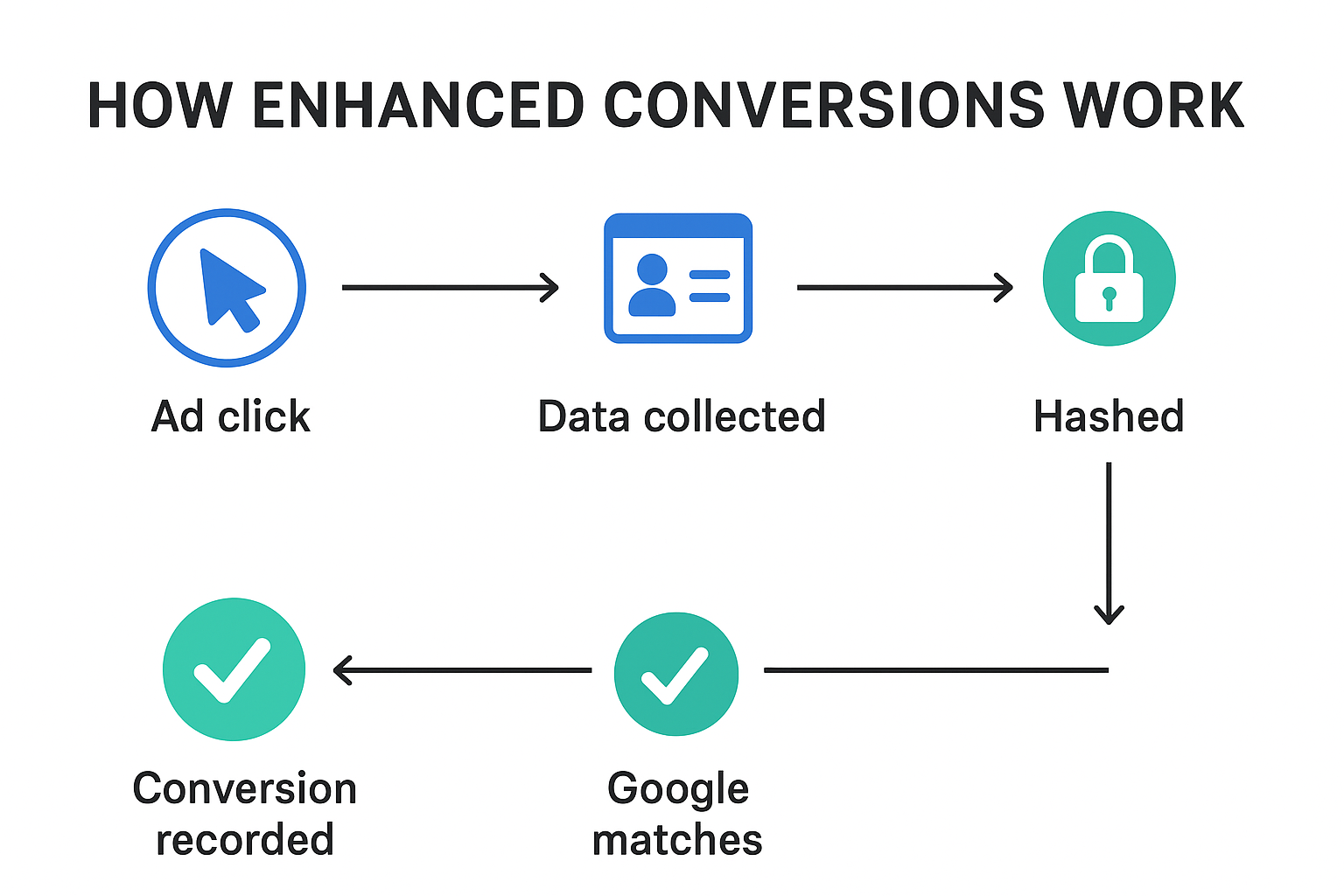
How Enhanced Conversions Works (Step by Step)
1. A user interacts with your ad
- Someone searches on Google, clicks your ad, and lands on your website.
- At this point, Google attaches a unique click ID (gclid) to that visit in the background.
- If that is a gmail logged in user , Google will be able to identify the Gclid with gmail
2. The user takes an action
- On your site, the person returns some days later and fills a form (lead) or buys a product (purchase).
- During this process, they provide first-party data — things you normally collect anyway, such as:
- Email address
- Phone number
- Name
- Mailing address
3. Your website captures this data
- The data is captured by your website’s forms or checkout system.
- Normally, only the conversion event (“purchase completed”) is sent to Google Ads.
- With Enhanced Conversions, you also send the user data (email, phone, etc.) in a safe way.
4. Data is hashed (encrypted)
- Before leaving your site, Google Tag Manager hashes this personal info using SHA256 encryption.
- Hashing means turning “johnsmith@email.com” into a long, irreversible code like 5d41402abc4b2a76b9719d911017c592.
- This ensures privacy and security — raw personal data is never exposed.
5. Hashed data is sent to Google Ads
- The hashed info travels securely to Google Ads servers.
- Google takes that hashed data and compares it with the data it already has from its signed-in users (Gmail, YouTube, Chrome, etc.).
6. Google matches the conversion
- If the hashed email/phone matches a signed-in Google account that clicked your ad earlier, Google can confidently say:
 “This purchase came from this ad click”
 - The conversion is then logged in your Google Ads account.
7. Benefits
- The conversion count in Google Ads is more accurate.
- Smart Bidding strategies (like Target CPA, Target ROAS, or Max Conversions) get better data to optimize campaigns.
- Even if cookies or ad blockers hide the conversion, Enhanced Conversions helps recover it.
- The delayed conversions are attributed properly.
- So campaigns will be able to effectively target cold audiences.
- The account is better aligned for scaling.
 Take away:
- Without Enhanced Conversions → You see a sale happened, but due to privacy regulated issues your google ads may not be able to connect it back to the ad.
- With Enhanced Conversions → You can match the sale to the right ad click using the customer’s “secure fingerprint” (hashed data).