

What Are RLSA and Dynamic Remarketing?
Before we get into the challenges, let’s quickly recap how these two campaign types work:
 RLSA (Remarketing Lists for Search Ads)
This feature allows you to customize your search campaigns for people who have already visited your website.
Example:
- Someone visits your online store and checks out a pair of shoes.
- A few days later, they searched on Google for “best running shoes.”
- Because they’re on your remarketing list, you can bid higher or show them a more tailored ad than you would for a brand-new user.
Dynamic Remarketing
This takes remarketing a step further. Instead of showing a generic ad, Google uses the products or services the person looked at on your site and shows them personalized ads.
Example:
- A user browses a red handbag on your site but doesn’t buy it.
- Later, they see a Google Display Ad featuring that exact red handbag, reminding them to come back and complete the purchase.
 Both strategies rely heavily on cookies and tracking tags to recognize the same user when they come back. And this is where ITP comes in.
What Is ITP (Intelligent Tracking Prevention)?
ITP is a privacy feature created by Apple for Safari. Similar protections exist in Firefox (Enhanced Tracking Protection, or ETP) and will soon be fully rolled out in Google Chrome under the Privacy Sandbox initiative.
The goal of ITP is simple:
To stop advertisers and third parties from tracking users across websites for long periods of time.
It does this by:
- Limiting how long cookies can last
- In Safari, first-party cookies created by scripts (like Google Ads tags) often expire in just 7 days or even sooner.
- Third-party cookies (from ad networks) are blocked entirely.
2. Blocking third-party tracking cookies by default
- Many remarketing systems need cross-site tracking to work, which becomes impossible.
3. Stripping URL tracking parameters
- This removes identifiers (like gclid in Google Ads) that help connect a click to a conversion.
4. Preventing trackers from running at all
- Ad blockers and browser privacy settings can completely block the remarketing tag from loading.
On paper, these sound like small technical details, but the impact on advertising is huge.
How ITP & Privacy Features Technically Affect RLSA and Dynamic Remarketing
 Impact on RLSA (Remarketing Lists for Search Ads)
- Shortened Cookie Expiration
- Normally, Google Ads Remarketing Tags can set a 30-day cookie (or longer) to keep someone in a remarketing list.
- Under Safari ITP, JavaScript-set first-party cookies expire in just 7 days (sometimes 24 hours if they’re linked to cross-site tracking).
- This means:
- Day 1: User visits your site.
- Day 8: That cookie is already gone — so the user “falls off” your list, even though you set the list duration to 30 days in Google Ads.
2. Blocked Third-Party Cookies
- If your remarketing tag tries to drop a third-party cookie (from net or googleads.g.doubleclick.net), Safari/Firefox block it instantly.
- Result: These users are never added to your RLSA list at all.
3. Cross-Device and Cross-Browser Tracking Breaks
- Without persistent cookies, Google can’t link the same user across mobile + desktop (unless they’re logged into Google).
- Example: User searches on mobile → visits your site → later searches on laptop. Without login data, Google treats them as two different users.
Impact on Dynamic Remarketing
- Loss of Product-Level Tracking
- Dynamic remarketing relies on event tags (e.g., view_item, add_to_cart) + product IDs sent via cookies.
- If cookies are gone:
- Google Ads receives the visit but can’t tie it to a specific product.
- Instead of seeing “red handbag you viewed,” the user just sees a generic brand ad.
2. Audience List Shrinkage
- With 7-day cookies, long buying journeys (like travel, cars, B2B software) suffer most.
- Example: User browses vacation packages → waits 3 weeks → cookie is expired → they never see your remarketing ads when they’re ready to book.
3. Click Parameter Stripping
- Safari strips URL identifiers like gclid (Google Click ID) after 24 hours if cookies are considered tracking-related.
- Without this, Google Ads struggles to connect ad clicks → remarketing tags → conversions.
In short:
- RLSA lists become smaller and “leak” users quickly.
- Dynamic Remarketing loses personalization, turning into generic ads.
How to Fix or Reduce These Issues
Now let’s look at the practical steps you can take.
1. Move to Server-Side Tagging
The problem with client-side tagging (default):
- Google Ads tags run in the browser.
- Safari sees them as “trackers” → applies ITP → short cookie lifetime or total block.
Server-side tagging solution:
- Instead of sending data straight from the browser to Google, the browser sends it to your server/domain first.
- Example:
- User visits → browser sends it to https://tracking.yourdomain.com.
- Your server processes it → forwards it to Google Ads/GA4.
Why this works:
- Because the cookie is dropped by your own domain, it is considered first-party and not flagged as cross-site tracking.
- Cookies can last much longer (e.g., 90 days instead of 7).
Tools you can use:
- Google Tag Manager Server-Side (sGTM) hosted on Google Cloud or your own server.
- Google Tag Gateway (via Cloudflare) for easier implementation.
2. Use Enhanced Conversions
The problem: When cookies fail, Google Ads can’t always connect a click → to a conversion → to a remarketing list.
The fix (Enhanced Conversions):
- Collect first-party identifiers during checkout or lead form submission (like email, phone, or address).
- Send these values to Google Ads in hashed (encrypted) form.
- Google then matches these with signed-in Google accounts.
Result: Even if Safari blocks the cookie, Google can still match “John who clicked the ad” with “John who made a purchase.”
3. Encourage User Sign-Ins
Why this helps:
- Cookies may fail, but Google can still track users if they’re logged into their Google account (via Gmail, YouTube, Chrome).
- If you encourage logins (e.g., loyalty programs, gated content, exclusive offers), users are more often signed in → remarketing lists become more accurate.
4. Adjust Remarketing List Durations
The issue: Safari expires cookies after 7 days.
The solution:
- Instead of setting remarketing lists for 30–90 days, create shorter lists (e.g., 7–14 days) for Safari/Firefox-heavy audiences.
- Use “fresher” remarketing windows that capture people while their cookies are still valid.
Example:
- Instead of “All site visitors (30 days),” create “All site visitors (7 days).”
- Layer urgency-based messaging like discounts or “low stock” offers to push faster decisions.
5. Diversify Audience Sources
Since you can’t rely only on cookies anymore:
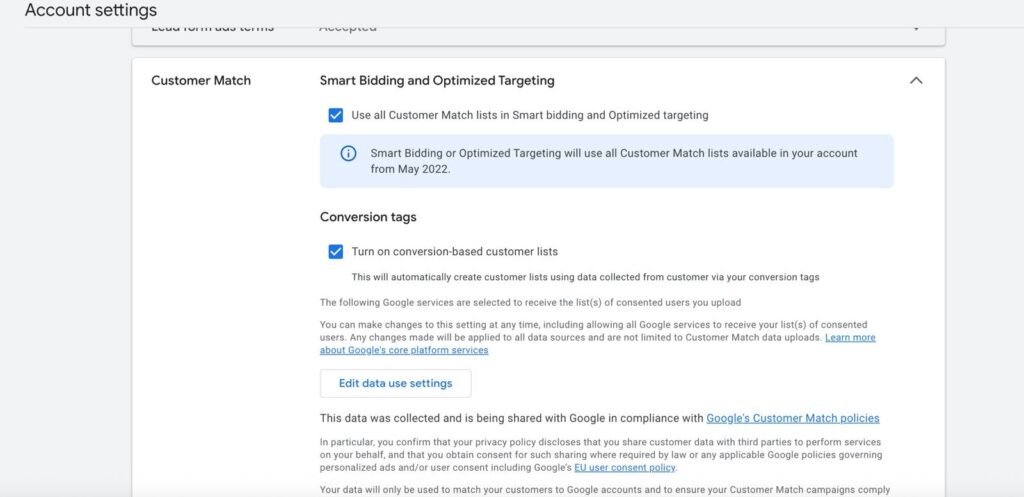
- Customer Match → Upload CRM/email lists into Google Ads → remarket to known users.
- GA4 Audiences → GA4 uses modeling + signals (beyond cookies) to sync audiences into Google Ads.
- In-App Events → If you have an app, app events feed directly into Google Ads audiences and aren’t affected by browser ITP.
This spreads risk and ensures you’re not over-relying on cookie-based web data.
Final Takeaway
From a technical perspective, ITP and other privacy features cut off the tracking chain at the cookie level:
- RLSA loses users when cookies expire early.
- Dynamic remarketing loses personalization when product-level data isn’t tied to the visitor.
But with server-side tagging, Enhanced Conversions, login strategies, shorter remarketing lists, and diversified audience sources, you can rebuild that chain in a privacy-safe way.
The future of remarketing isn’t about “tracking more” — it’s about tracking smarter with first-party data.
The Bottom Line
Privacy updates like ITP are here to stay. They reduce both the size and accuracy of your remarketing audiences, making it harder to reach past visitors with tailored ads.
To keep RLSA and Dynamic Remarketing working well, you’ll need to adapt — focus on first-party data, invest in server-side tracking, and use multiple audience sources. That way, you can still deliver relevant ads to the right people, even in a more privacy-focused web.


 Why this matters for bidding: